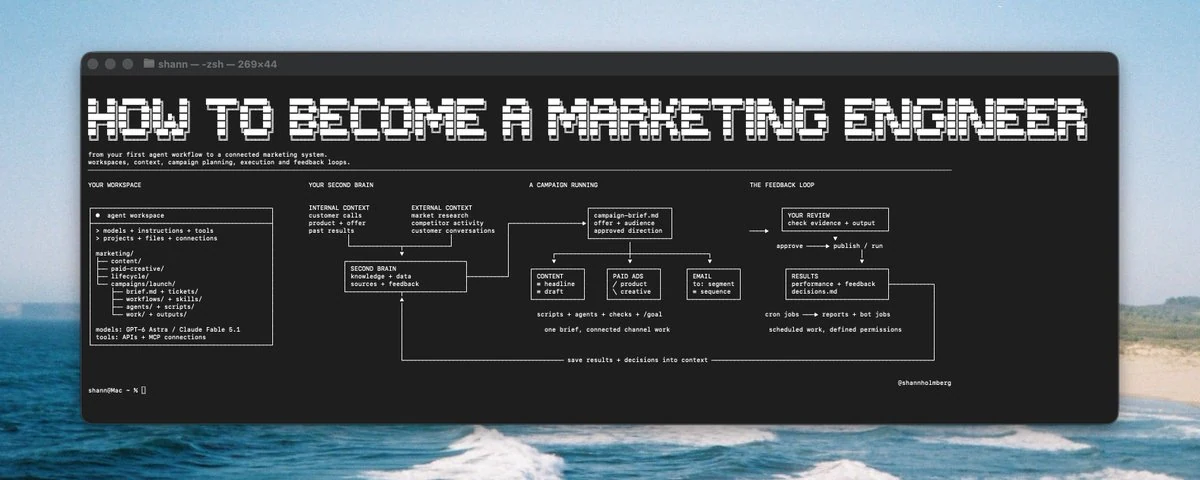
01 / THE ROLE
What is a marketing engineer?
Someone who connects marketing knowledge, business data, and useful tools into repeatable ways of working.
A content system might research a topic, develop campaign angles, and create assets using customer research, the offer, and a voice guide. People review the work before publishing. Performance and feedback then inform the next campaign.
Your expertise shapes the system. You decide which sources matter, what the workflow needs to know, how to check its output, and where a person needs to make the call.
If you know content marketing, start there. Choose one task you already do and can judge. Build around it, then improve the context and instructions from what you learn.
02 / YOUR WORKSPACE
Give the work somewhere to live.
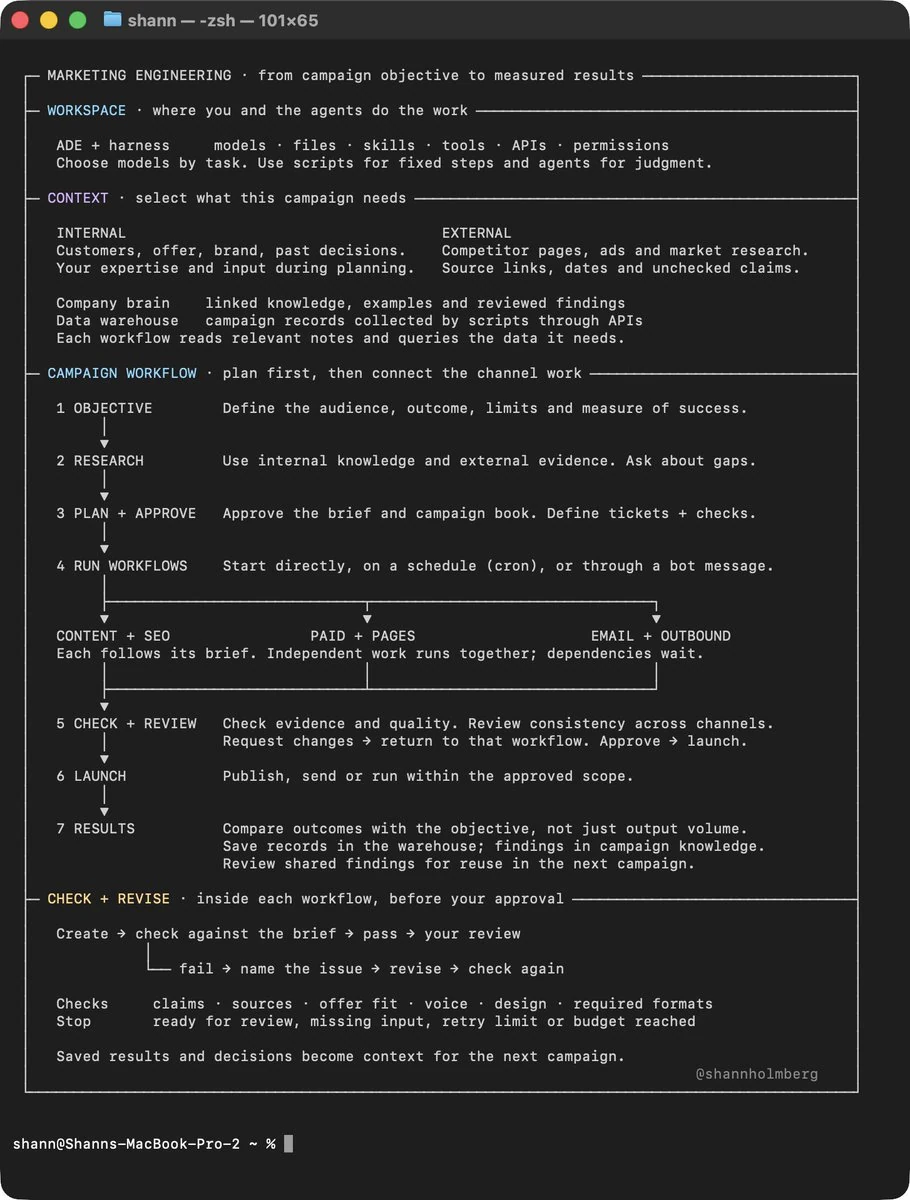
A marketing workspace keeps shared business knowledge, project briefs, working drafts, approved outputs, and results easy to find. Start with one marketing area and add folders only when the work needs them.
Keep context close
Tell the workflow where the audience, offer, voice guide, and active campaign brief live.
Keep decisions visible
Save research, drafts, approvals, and learnings where the next person can review them.
Folders alone don’t tell an agent how to work. Add a short index that explains which sources to use, where to save results, and which workflows rely on each file.
03 / KNOWLEDGE + DATA
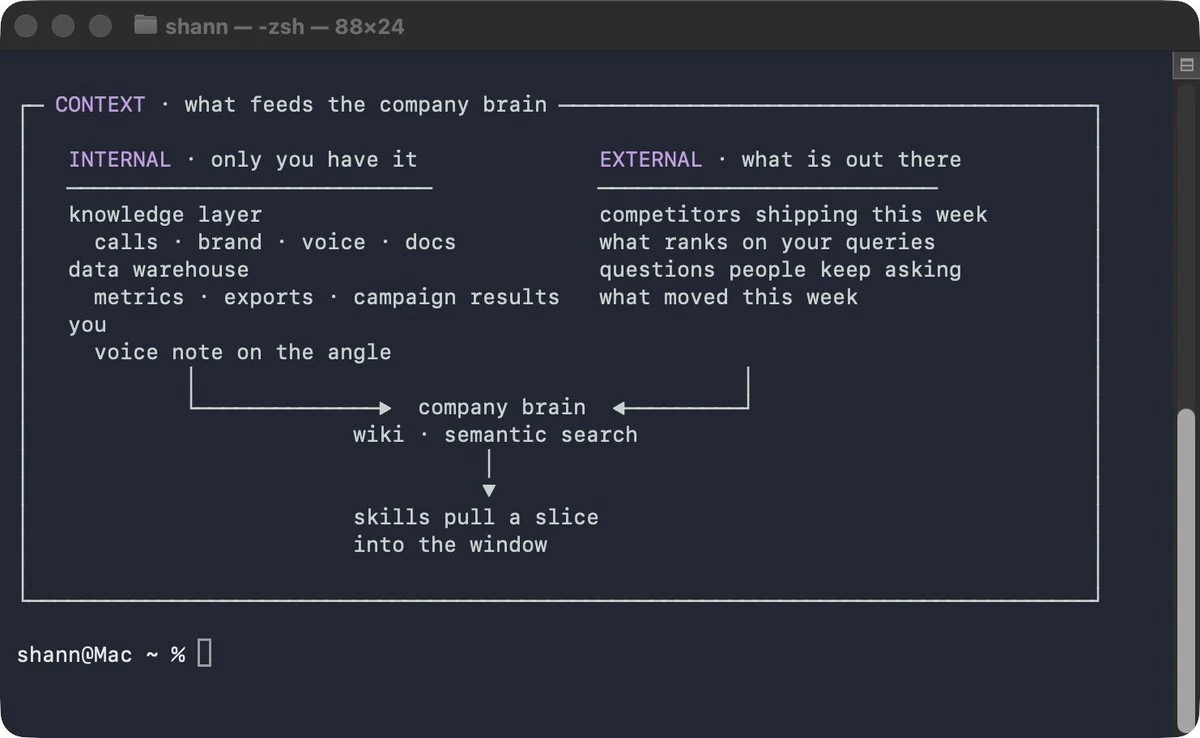
Connect what the business knows with what’s happening outside it.
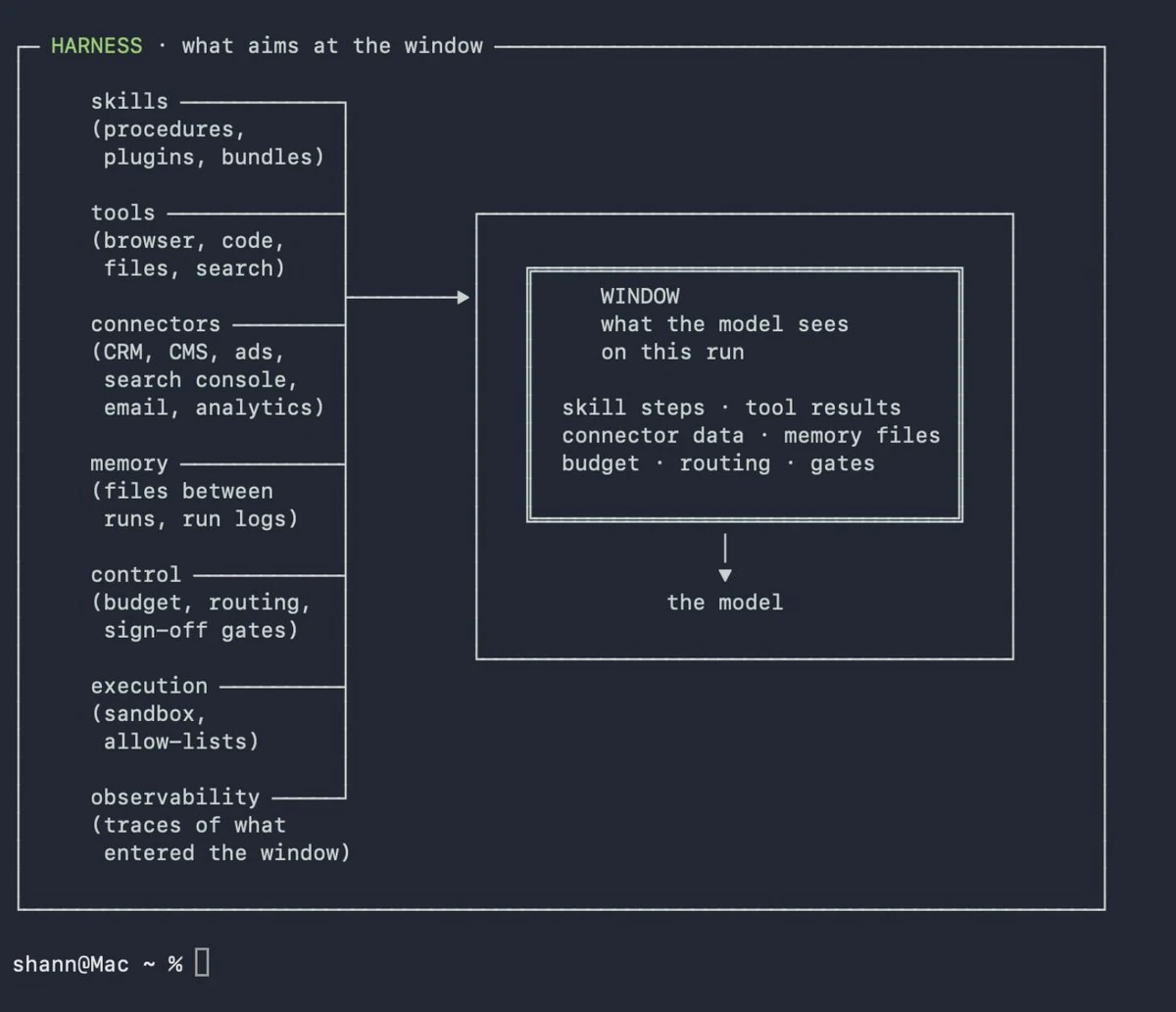
Customer conversations can reveal a question buyers ask before choosing. External research can show how people describe the problem and how other companies address it. Product details and previous campaign results add the context needed to develop a useful angle.
Keep campaign-specific research with the campaign. Move verified, reusable findings into shared knowledge. Include dates and sources, and label assumptions so an idea doesn’t quietly become an approved fact.
Data needs collection and refresh schedules. Connect records carefully, flag missing tracking, and save the reasoning behind a result. Clicks alone rarely explain whether a campaign brought the right customers.
04 / YOUR FIRST WORKFLOW
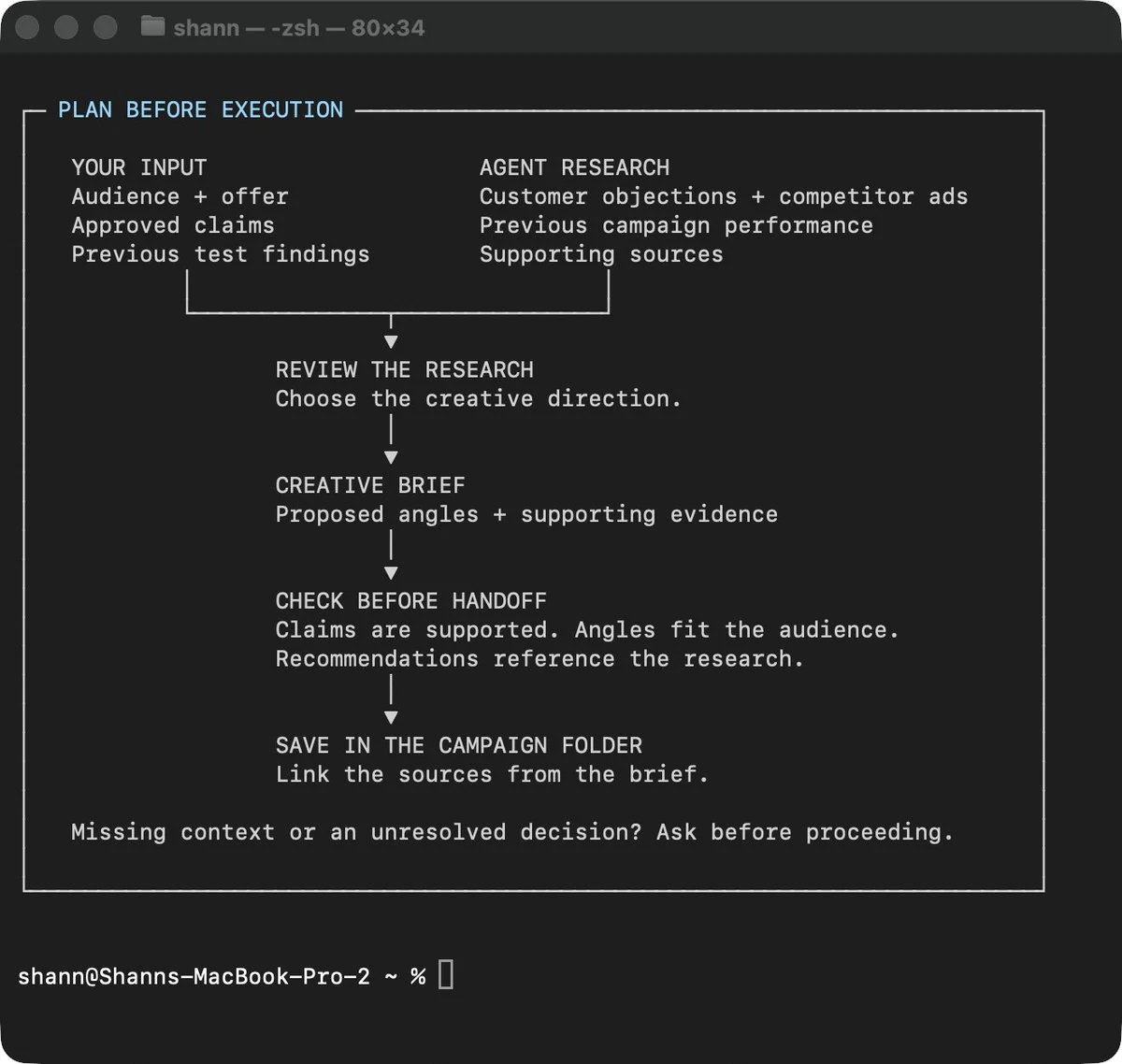
Pick one job. Plan it before you run it.
Choose a task you do often enough to recognize a good result: competitor research, a creative brief, or a review of where leads stop replying. Start from a real deadline and an actual person who will use the output.
Talk through the goal, what you’ve tried, what is unclear, and which decisions need your input. Work through the brief until the audience, offer, sources, deliverable, and checks are specific.
- 01Plan together
Resolve open questions before the workflow creates deliverables.
- 02Run it with your input
Watch where you step in and note what context was missing.
- 03Make it reusable
Save the useful steps, references, and checks for the next run.
05 / CONNECTED CAMPAIGNS
Plan the campaign together. Build through the channels.
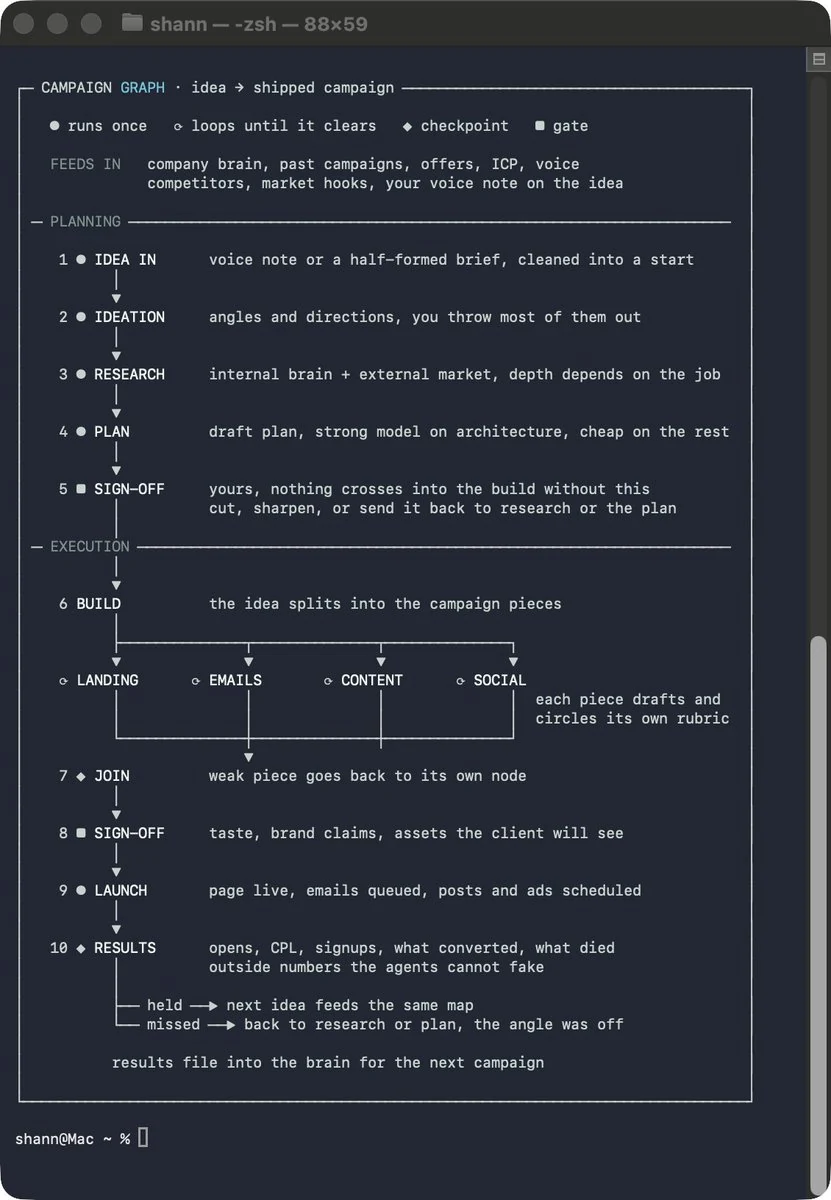
One campaign may need a landing page, paid creative, launch content, email, and outbound. Each channel has different production work, but they share the audience, offer, campaign plan, and research.
Research can feed several workflows. Save it once and link it where needed. Decide which tasks can run in parallel, then mark dependencies: final copy needs an agreed offer; ads need a destination; follow-up email needs to match what people signed up for.
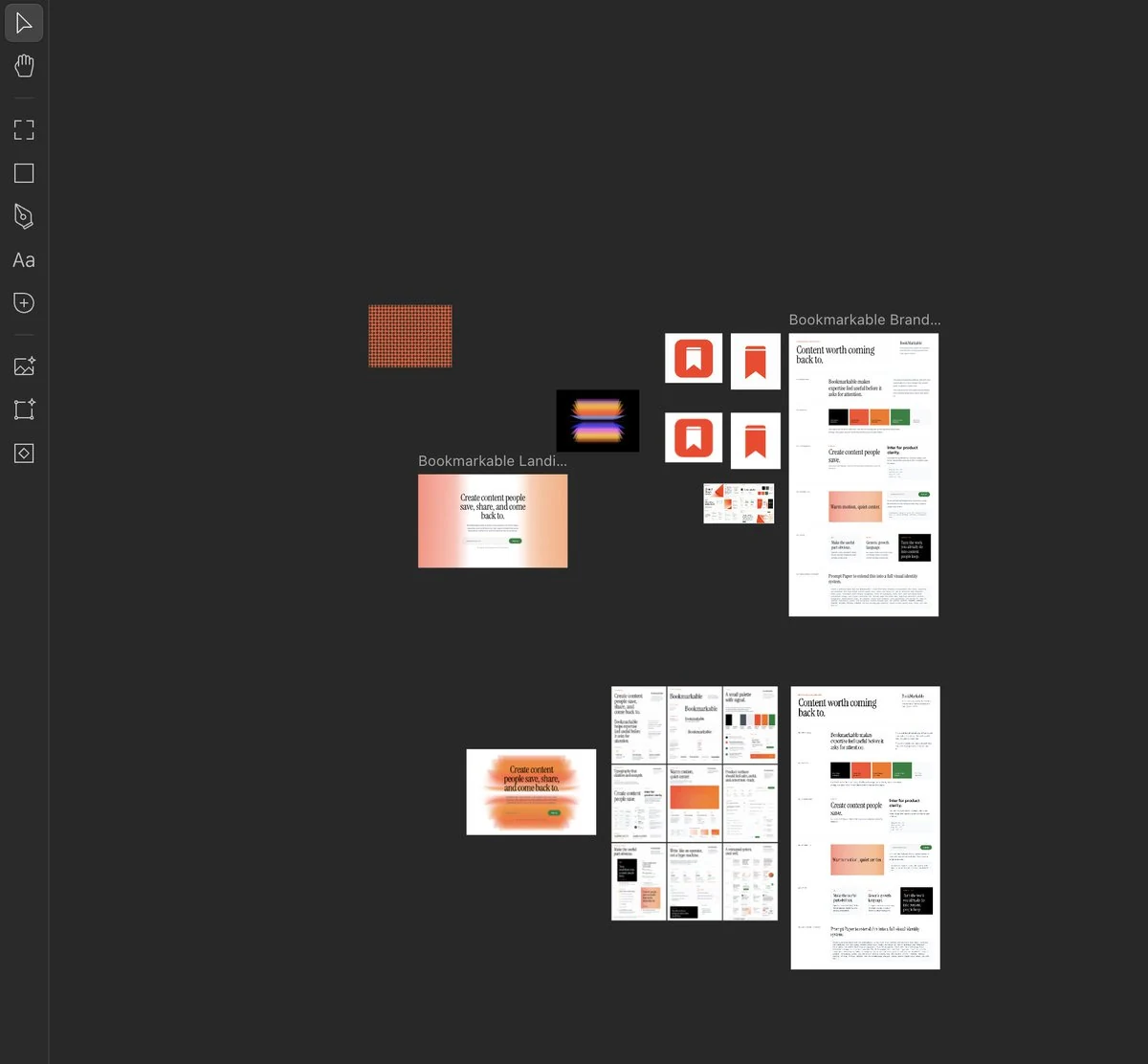
A campaign book can record approved direction, layouts, examples, and product details. Review generated assets for accuracy and consistency across channels.
06 / LOOPS + QUALITY
Define what done looks like.
A useful goal names the deliverable, points to the plan, and sets a stopping condition. Automated checks can catch dimensions, missing files, or broken links. Human review still decides whether the creative direction is right.
Set a retry limit and a clear point to ask for help. If the same check keeps failing, investigate missing context, unavailable tools, or a decision the workflow cannot make.
Review the campaign as a whole too: does the ad promise what the page delivers? Does the email use the approved offer? Are dates, links, and claims consistent?
07 / RECURRING WORK
Automate the dependable parts.
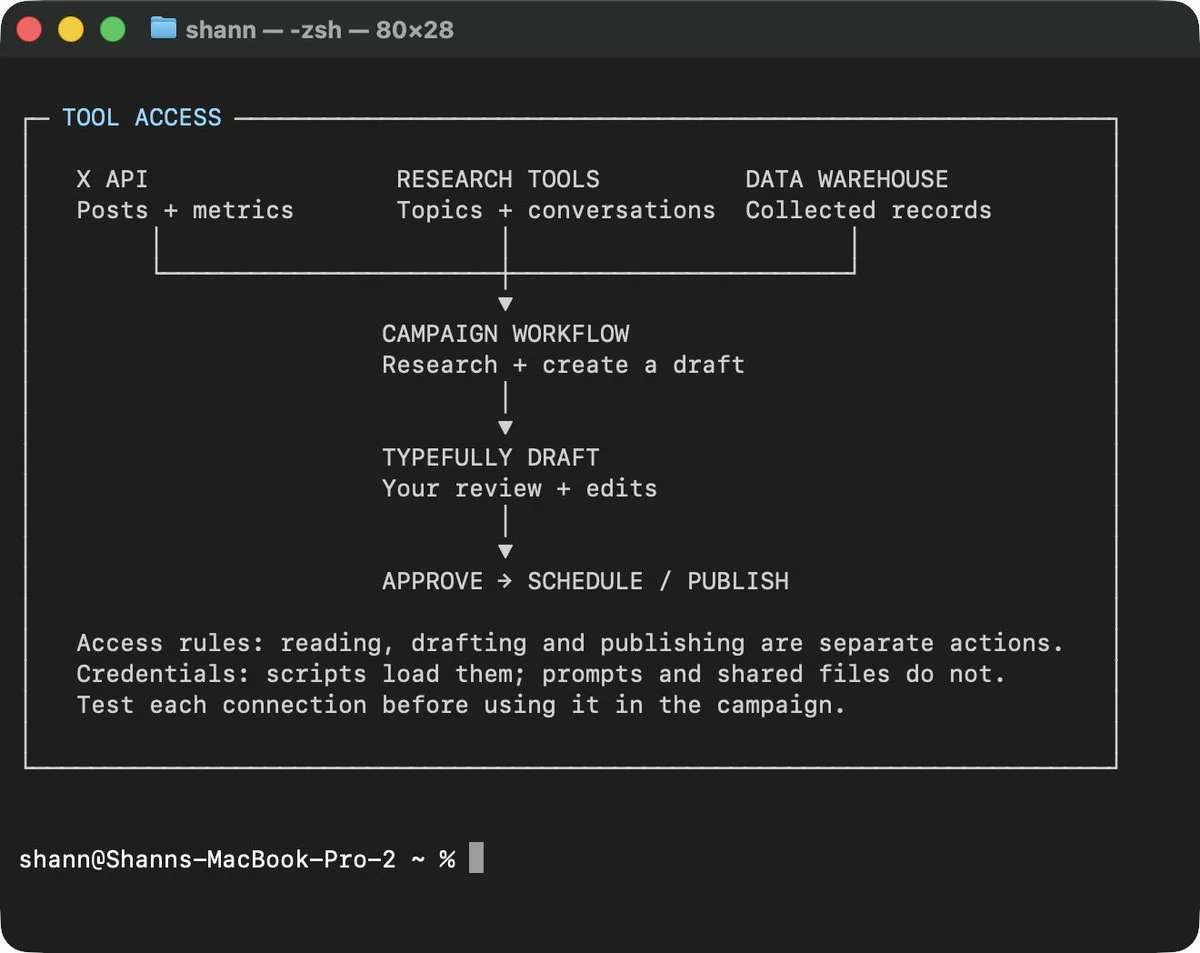
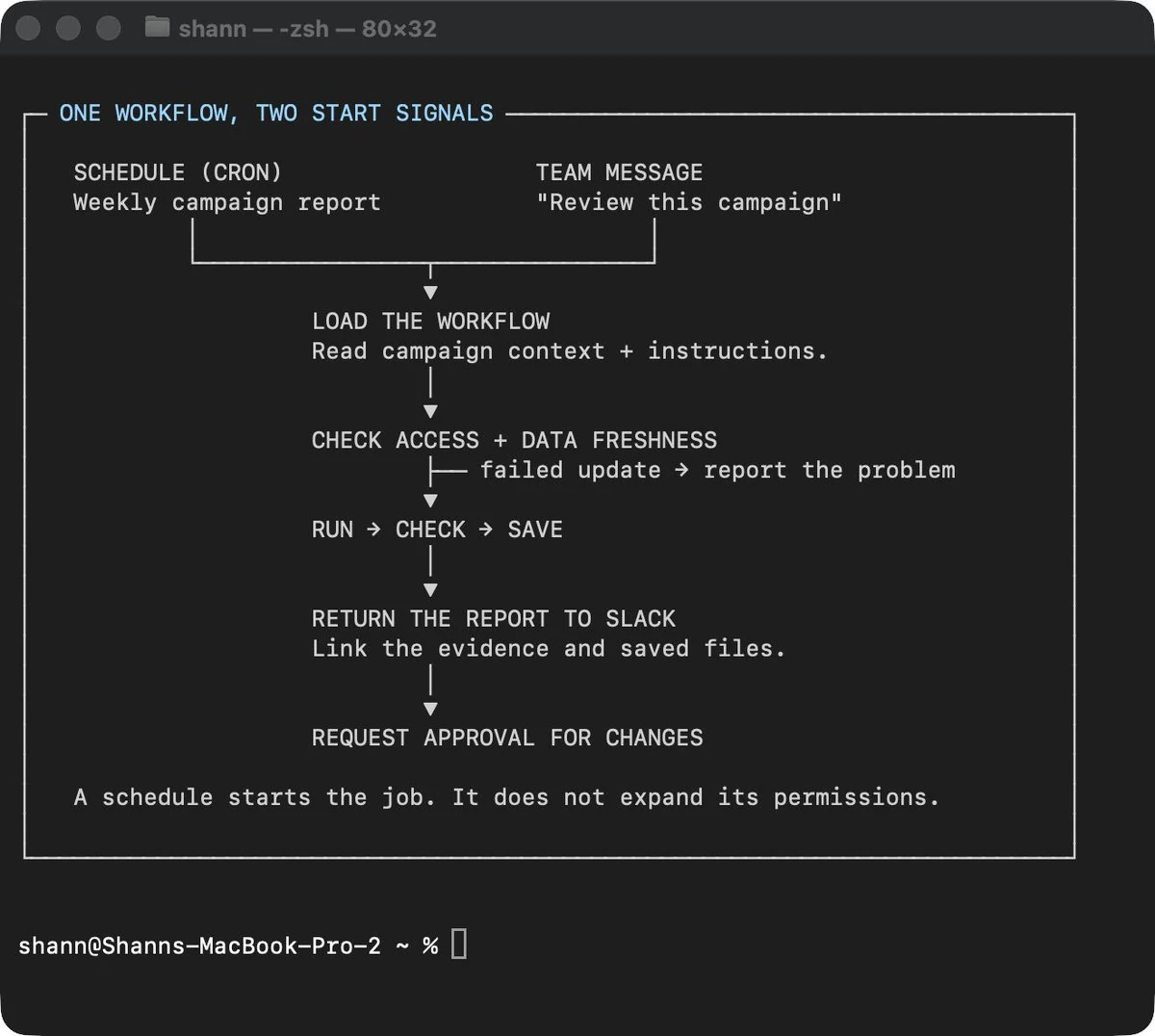
When a workflow works reliably, it can prepare a weekly report, refresh research, or monitor a campaign. A schedule starts a task; it does not fix missing context or incomplete checks.
Decide what the workflow can access, what it should produce, what happens when data is missing, and which changes require review. Preparing a report, drafting a post, and changing an ad budget need different levels of permission.
08 / APPLY IT TO QUIK
Quik’s marketing system starts here.
The strategy below is a working first version. Edit the context as the product positioning gets sharper; the drafts and workflow brief update from it.
One conversation, one clear page
Help more small businesses understand when a focused Quick Page can help them move a customer conversation forward.
Independent service businesses and creators who need a clear way to introduce an offer, follow up on an inquiry, or share one useful next step.
Give the next customer conversation a clear page and a useful next step.
Quik supports business pages and focused Quick Pages, drafts can be reviewed and edited, and the owner controls what gets shared. Do not imply customer outcomes or performance figures.
Prove one message before scaling it.
No paid spend or publishing assumed. Each step ends with a human review.
Listen
Collect real customer questions, current product language, and the moments where a focused page could help. Record source and date.
Shape
Choose one audience and one use case. Draft the page opening, one social post, and a short email around the same promise.
Share
Review the claims and destination. Share the approved material through one channel you already use. Track what went out.
Learn
Review replies and qualified interest. Note the sample size and what you cannot conclude. Use the evidence to adjust the next brief.
Quik marketing context
Your context and edited drafts stay in this browser. Starter drafts update as you type; your own wording is kept. No campaign is sent or published.
Three drafts from one brief.
Use these as starting points. Check every claim and edit for the channel before sharing.
Social post
Landing page opening
Email draft
Useful customer moments
Show when a focused page can help answer an inquiry, share an offer, or make the next step clear.
How Quik works
Walk through a real use case from short idea to reviewed page. Be precise about what is draft and what is live.
Better follow-through
Share practical guidance on responding to customer interest and learning from the questions people ask.
Save what the campaign taught you.
Record the observation and where it came from. Include the sample or time period in your notes; this is a learning log, not an analytics connection.
09 / YOUR FIRST WORKFLOW
Turn the plan into a repeatable brief.
Generate a working Markdown brief from the Quik context above. It stays on this device until you choose to copy it.
Keep learning from the original guide
“How to Become a Marketing Engineer” by Shann³ · September 10, 2026This Quik workspace adapts the article’s ideas. The views and recommendations about Quik are working drafts for review.